


Table of Contents
- What You'll Need Before Preparing FBA Shipments
- Understanding Amazon FBA Packaging Requirements
- Selecting and Organizing Your Inventory
- Applying Amazon FBA Shipment Labels Correctly
- How to Create an FBA Shipment in Seller Central
- Using Your Amazon FBA Shipment Checklist
- Common Shipment Errors and How to Avoid Them
- Conclusion
- Frequently Asked Questions
Last Updated: October 9, 2026
What You'll Need Before Preparing FBA Shipments
To prepare amazon fba shipments effectively, gather your Seller Central account, inventory, shipping supplies, and Amazon's prep requirements.
Here's what to have ready:
- Your product SKU numbers and FNSKU barcodes
- Shipping boxes or cartons that meet Amazon's dimensions
- Packing materials (bubble wrap, poly bags, kraft paper)
At GTC Logistics, we help sellers organize these elements before they reach our warehouse. Check your inventory count against your sales records so quantities match what you plan to ship.
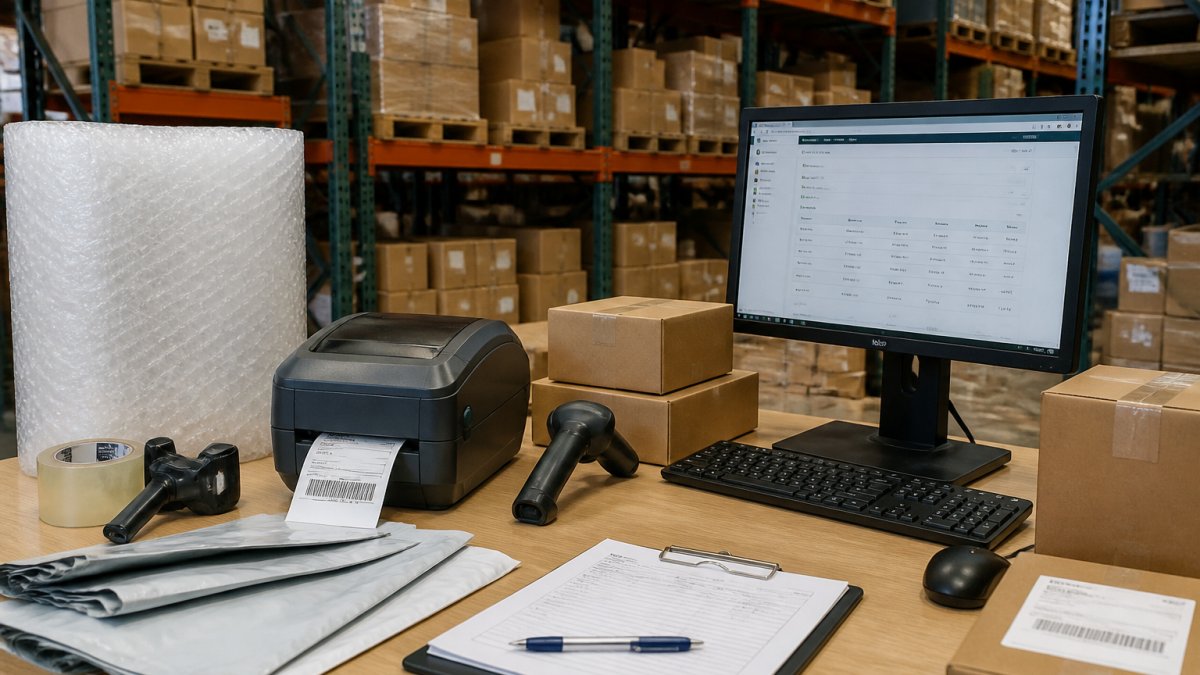
Understanding Amazon FBA Packaging Requirements
Amazon assigns each ASIN a prep category in Seller Central that determines what you must do before the unit can be received. Getting it wrong is a common reason shipments are flagged, held, or charged unplanned prep fees.
The main prep categories you will encounter:
- Barcode labeling required, every unit needs an FNSKU label applied over or instead of the manufacturer barcode.
- Poly bagging required, typically for loose items, apparel, plush, and anything that could snag, spill, or be mistaken for a set.
- Bubble wrap or cushioning required, for fragile, glass, ceramic, or crushable items.
Your shipment plan shows the assigned prep category for each SKU, review it before buying supplies.
Material and dimensional specifics that matter
- Poly bags must be at least 1.5 mil thick, transparent, and sealed (taped, heat-sealed, or zip-locked). The bag must fit snugly, excess slack can cause the unit to be rejected.
- Suffocation warning must be printed on the bag or on a label affixed to it, in a legible size, in English and French where the product is sold into markets requiring both.
- Empty space inside a box must be filled. Amazon's fulfillment centers reject boxes where contents can shift freely; use kraft paper, air pillows, or corrugated inserts.
The cost-saving angle most guides skip
Packaging choices directly affect carrier fees and long-term storage. Two levers matter most:
- Dimensional weight. Carriers bill on actual or dimensional weight, whichever is greater. Shrinking a box by even an inch per side can drop you into a lower billing tier on high-volume shipments.
- Storage footprint. Fulfillment centers charge by cubic volume, so a snug poly bag instead of a bulky box lowers monthly storage charges over time.
After packing a test box, weigh and measure it, then compare dimensional weight to actual weight. If dimensional weight is higher, try a smaller box or different orientation before a full run.
Sustainability without breaking compliance
Sellers increasingly ask for eco-friendly options that still pass Amazon's prep checks. Workable swaps:
- Recycled-content corrugated boxes meeting the same strength grade as virgin stock.
- Paper-based void fill instead of plastic air pillows.
- Recyclable or compostable poly mailers for soft goods where poly bagging is not required.
Selecting and Organizing Your Inventory
Start by deciding which products go into this shipment, you don't need to send everything at once. Many sellers ship in waves based on demand forecasts, reducing storage fees and keeping inventory fresh.
Steps to organize your inventory:
- Count your total units for each SKU
- Verify the counts match your system records
- Inspect items for damage or defects
- Group units by product type
- Arrange boxes by destination fulfillment center (if shipping to multiple locations)
Amazon may split your shipment across multiple centers based on inventory levels and regional demand; your shipment plan shows where each unit goes.
GTC Logistics uses Oracle NetSuite to track inventory in real time, helping you decide shipment timing and quantity.
Applying Amazon FBA Shipment Labels Correctly
The FNSKU barcode is your product's unique identifier in Amazon's system. Every unit needs this label in the exact location Amazon specifies.
Label placement rules:
- Place FNSKU labels on the front-facing side of the product or packaging
- Labels must be flat and fully readable by barcode scanners
- Do not place labels over existing barcodes
Print FNSKU labels from Seller Central before packing, never handwrite barcodes, since scanners can't read them reliably.
Verify every label before sealing the box, a misplaced or illegible label causes delays and can lead to your shipment being held for inspection.
How to Create an FBA Shipment in Seller Central
Amazon's shipment creation now runs primarily through the Send to Amazon workflow, which replaced the older Send/Replenish Inventory flow. Screen names can shift as Amazon updates Seller Central, always confirm against your account.
Step-by-step: Send to Amazon
- Open the workflow. In Seller Central, go to Inventory → Manage FBA Shipments → Send to Amazon (or use the Send to Amazon link from the Inventory menu).
- Choose your starting point. You can start from a saved packing template, from a list of SKUs, or from a replenishment recommendation. Templates are the fastest option if you ship the same products regularly.
- Select SKUs and quantities. Enter the number of units per SKU. The workflow will flag any SKU that is not yet in a shippable condition (missing prep, missing FNSKU, etc.).
- Confirm prep and labeling. For each SKU, confirm who is doing the prep, you or Amazon, and confirm the FNSKU labeling. If you choose Amazon prep, the corresponding fees apply and are shown in the workflow.
- Pack and provide box details. Enter the number of boxes, units per box, and box weight and dimensions. Accurate box content data speeds up receiving and reduces reconciliation issues.
- Confirm the shipping mode. Choose small parcel delivery (SPD) or less than truckload (LTL) depending on volume. The workflow will suggest a mode based on your box count and weight.
- Review split shipments. Amazon may split your shipment across multiple fulfillment centers. You will see the proposed destinations and can either accept the split or use the Inventory Placement Service to consolidate into fewer locations (fees apply).
- Print labels. Print the box labels and the FNSKU labels from the workflow. Box labels must be applied to the top of each box, and the shipment ID must be visible.
- Confirm and ship. Finalize the shipment, hand it to your carrier, and record the tracking numbers in Seller Central.
Split shipments: when to accept and when to consolidate
Amazon routes inventory based on regional demand and fulfillment center capacity. A split shipment sends units to two or more centers, meaning multiple carrier pickups and more labels.
- Accept the split when volume is high enough that extra pickups are cheap relative to getting inventory live faster.
- Consolidate using the Inventory Placement Service when shipping small volumes and the per-unit placement fee is less than an extra pickup.
- Ship to a single center manually only for a specific reason, for example, restocking a product that sells fastest in one region.
Box content information: why it matters
Accurate box content information (which SKUs and how many units per box) lets the fulfillment center receive your shipment faster and reduces reconciliation investigations. Skipping it slows receiving and makes discrepancies harder to resolve.
Common errors at the shipment-creation stage
- "SKU not eligible for shipment." Usually means the listing is inactive, the product is restricted, or prep requirements are not yet acknowledged. Fix the listing or prep confirmation first.
- "Box weight exceeds limit." The workflow blocks a box too heavy for the selected mode. Split contents into two boxes or switch to LTL.
- "Shipment ID not recognized." Almost always a label mismatch, reprint from the workflow rather than reusing an old label.
- "FNSKU missing or unreadable." The workflow flags units lacking a scannable FNSKU. Reprint and reapply before finalizing.
Using Your Amazon FBA Shipment Checklist
A checklist prevents costly packing mistakes. Use this before sealing any boxes.
Pre-packing verification:
- All products counted and verified against inventory records
- Expiration dates checked (if applicable)
- Products inspected for damage or defects
- Correct FNSKU labels printed for each unit
During packing:
- Each unit receives its FNSKU label in the correct location
- Labels are flat and fully readable
- Products are arranged neatly inside the box
- Padding material fills empty spaces
Before pickup:
- All boxes are sealed securely
- Box count matches your shipment plan
- Shipment ID is visible on every box
- Carrier pickup is scheduled
This checklist takes 5 minutes per shipment. It catches errors before they become expensive problems at the fulfillment center.
Common Shipment Errors and How to Avoid Them
Most FBA shipment issues stem from labeling mistakes or inventory discrepancies, causing delays and storage fees.
Mislabeled units. The most frequent error is applying FNSKU labels to the wrong product or location.
Fix: Measure products first, choose boxes with minimal empty space, and fill gaps with padding.
Shipment plan errors. Creating a plan for the wrong product or quantities causes confusion about what you're sending.
Conclusion
When you prepare amazon fba shipments correctly, you protect your inventory and keep fulfillment running smoothly: gather materials, organize inventory, apply labels correctly, create your shipment plan, and use a checklist before pickup.
When you're ready to scale your FBA operations, GTC Logistics manages the entire process, inventory organization, labeling verification, box preparation, and carrier coordination from our secure 30,000 square foot facility.
Frequently Asked Questions
What are the main Amazon FBA packaging requirements for different product types?
Amazon FBA packaging requirements vary by prep category. Standard-size items typically need individual poly bagging, barcode labels, and placement in a master carton with dimensions and weight clearly marked. Fragile items require bubble wrap or protective padding inside the box. Hazardous materials have stricter rules and may require special labeling. Oversized items need reinforced boxes and clear dimension markings. Always check your specific product's prep category in Seller Central, as requirements differ based on item type, weight, and dimensions. Incorrect packaging can result in shipment rejection or storage fee penalties.
Do all products need an FNSKU label for Amazon FBA shipments?
Not all products require an FNSKU label. If you use Amazon's barcode, you only need the shipping label on the master carton. However, if you use your own product barcode (UPC), each unit must have an FNSKU label applied directly to the item or its packaging. Commingled inventory (where Amazon co-mingles your stock with other sellers') typically requires individual FNSKU labels on each unit. Check your shipment plan in Seller Central to confirm labeling requirements for your specific inventory before packing and shipping.
What should I include in my Amazon FBA shipment checklist before sending boxes to the fulfillment center?
Your Amazon FBA shipment checklist should verify: all items match your shipment plan quantities, products are in the correct prep category with appropriate packaging, unit labels (FNSKU or barcode) are applied correctly, shipping labels are affixed to master cartons, box dimensions and weights are accurate, contents are clearly documented, and tracking information is recorded. Double-check that all boxes are properly sealed and labeled with the correct fulfillment center routing information. Missing or mismatched items can delay processing and trigger compliance issues, so accuracy at this stage prevents costly delays and storage fee complications.
How can I avoid common shipment errors when preparing inventory for Amazon FBA?
The most frequent errors include mismatched quantities between your shipment plan and actual box contents, incorrect labeling (wrong FNSKU or barcode placement), improper packaging for product type, and inaccurate box dimensions or weights. Prevent these by creating your shipment plan in Seller Central first, then physically organizing inventory to match that plan exactly. Use a checklist for each step: verify SKU counts, apply labels before packing, confirm box specifications, and photograph contents before sealing. Many sellers also use barcode scanning during packing to catch discrepancies immediately rather than discovering them at the fulfillment center.
Ready to simplify your FBA fulfillment? Contact GTC Logistics for a rate request. We'll show you how our prep and fulfillment services streamline your shipments to Amazon's fulfillment centers, reduce errors, and get your products to customers faster.


